
AI meets SharePoint: a pain to set up, a win to run.
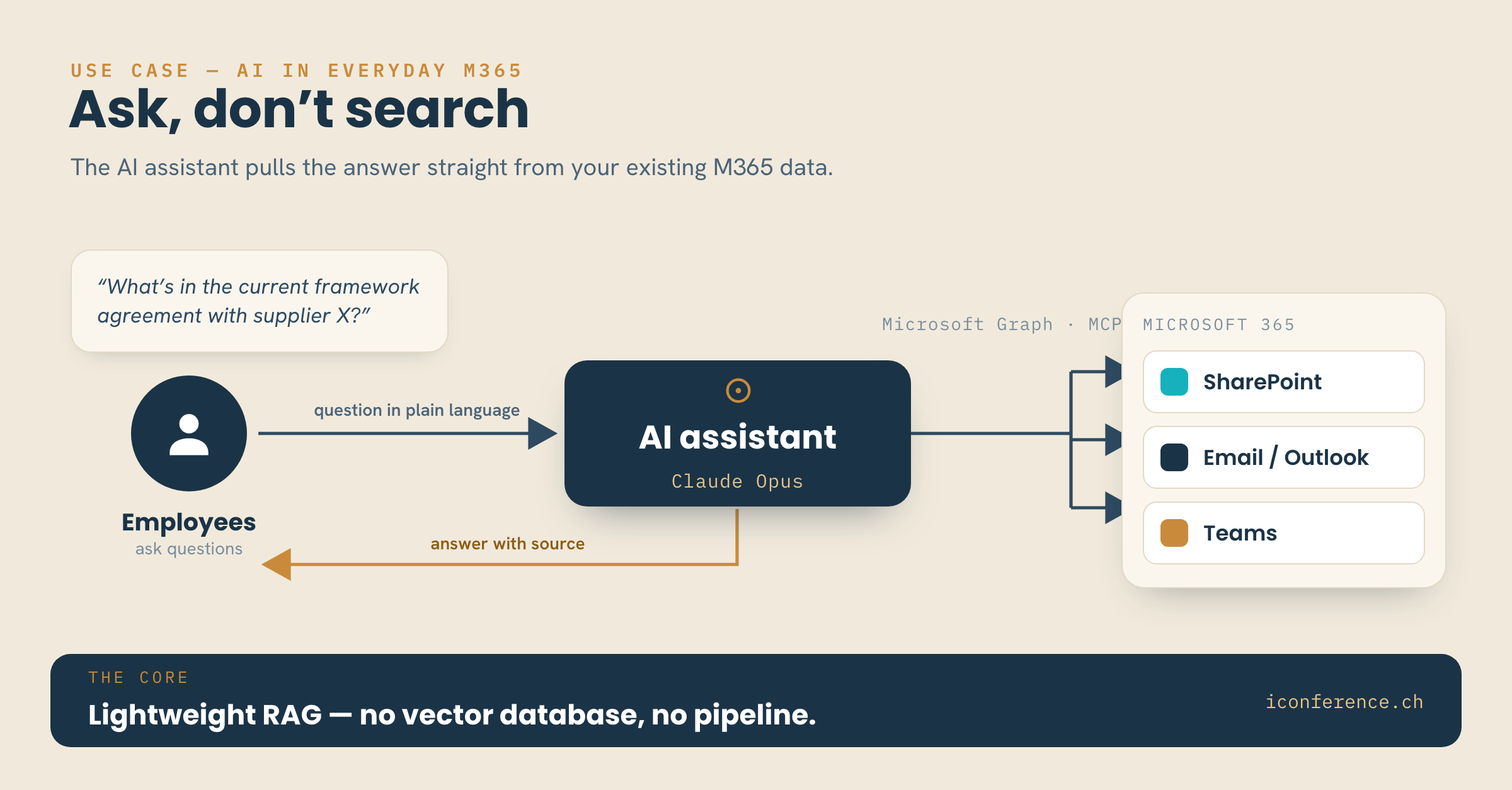
We rolled out a company-wide AI layer at an SME: an AI assistant (Claude Opus 4.8, as of 06/2026), connected to Microsoft Graph via MCP, covering SharePoint, email and Teams. The short verdict first: setting SharePoint up was tedious. Running it is not. And on balance, the rollout clearly pays off.
What was tedious to set up
The build was a slog. SharePoint is a chore to handle: a sluggish interface and a logic of sites, libraries and permissions that doesn't explain itself. What saved the build was, of all things, the AI assistant itself — it helped structure, permission and tidy up, instead of leaving us alone with the Microsoft docs.
Why daily use convinces
In daily use the picture flips. That very Microsoft 365 storage works as a lightweight RAG: staff ask in plain language, the assistant fetches the right document and cites the source as it goes — no vector database, no pipeline of our own. The same goes for email and Teams. The knowledge already in the house becomes queryable.
When the effort pays off
Who it pays off for: anyone already running Microsoft 365 gets a viable AI layer on their own data with manageable effort — no new system, no data migration. The expensive route, moving data into a separate vector database first, isn't needed to get started.
To be honest: getting in takes patience, and SharePoint won't become pretty for it. But the hurdle sits in the setup, not in daily use — and it only comes up once.
Setup is the price. Running it is the payoff.
We guide Swiss SMEs along this path — human, competent, holistic.