
The work in the Desk, the data in your systems
Writing a quote does not require knowing how to use the accounting software. In the Operating Desk, your sales team works in a single interface. Whatever needs doing in CashCtrl and in SharePoint, the Desk does. The data stays in those systems. The Desk runs in day-to-day use at our own company and at a second Swiss business.
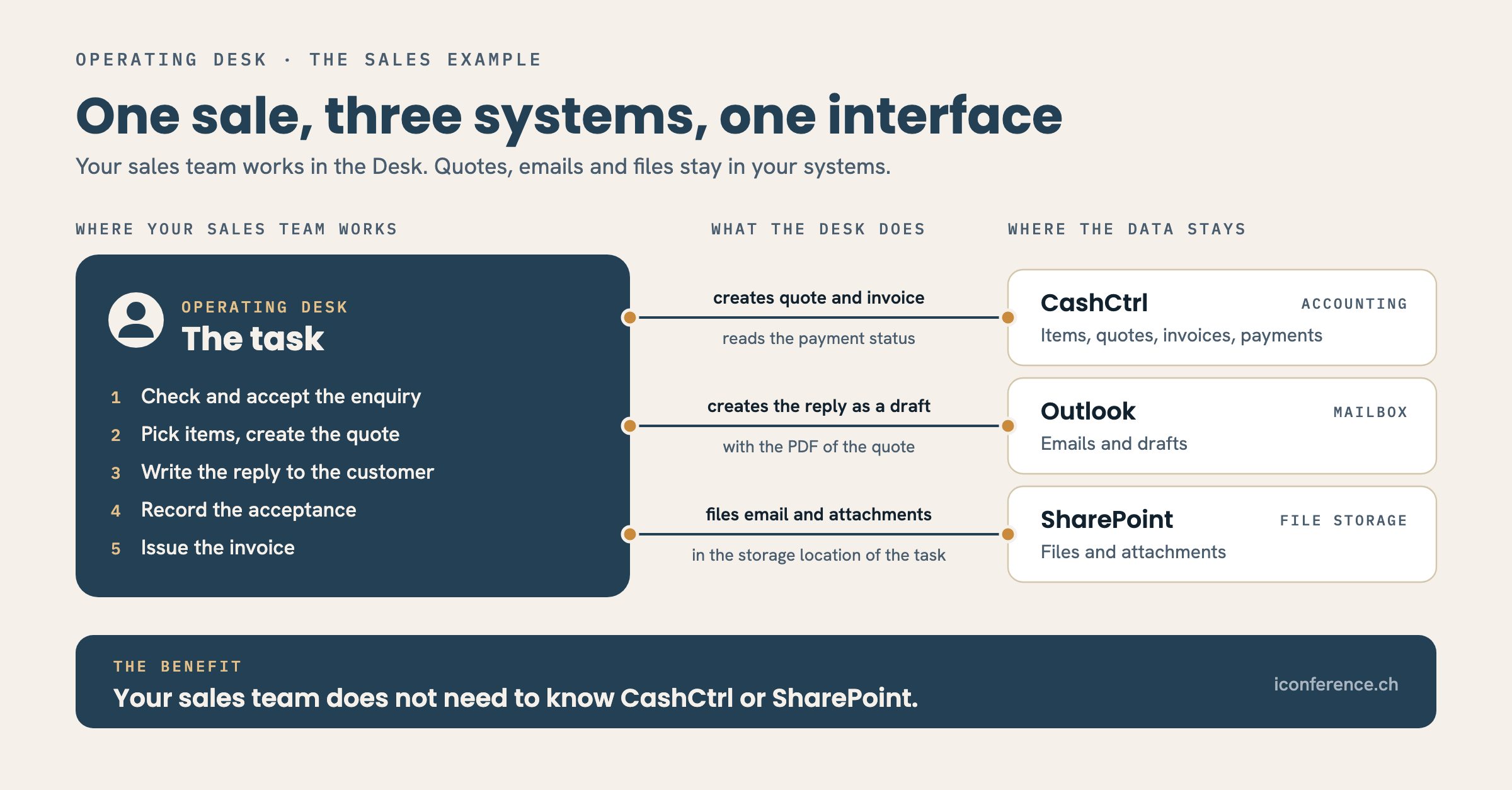
A sale, from enquiry to invoice
A customer enquiry arrives in the shared mailbox. The Desk turns it into a proposal: the AI names the responsible role and the counterparty, an employee checks it and accepts. From then on there is a task with a goal, a responsible role and a deadline.
For the quote she looks up the items in the Desk. The Desk checks the item master in CashCtrl for her. The price comes from accounting, and she can still change it. One click creates the quote in CashCtrl. The Desk keeps the document number and the stage of the sale.
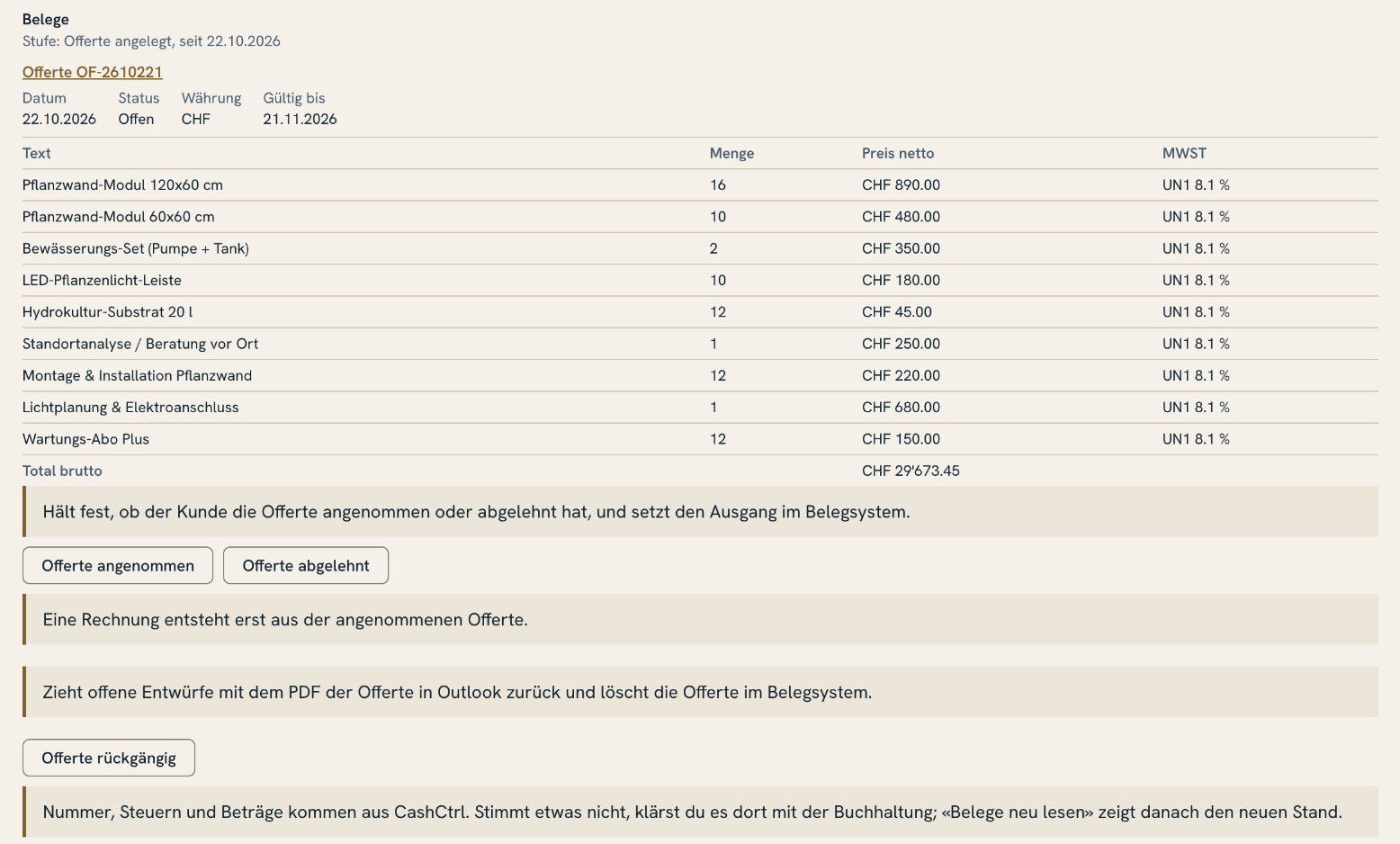
The Desk creates the reply to the customer as a draft in Outlook, with the PDF of the quote fetched fresh from CashCtrl. It is sent from Outlook, by a person. The Desk files the customer's email and its attachments in SharePoint, in the storage location of the task. She does not need to know the folder.
If the customer accepts, the employee records it in the Desk, and CashCtrl marks the quote as accepted. The invoice follows from it, with the same line items. Whether it has been paid, the Desk reads from CashCtrl. It keeps no receivables list of its own.
She never opened CashCtrl for any of this, nor SharePoint. She needed Outlook only to send.
One interface for three systems
Your sales team works in the Desk. It does not need to know its way around CashCtrl or SharePoint. Whatever needs doing there, the Desk does: looking up items, creating the quote and the invoice, filing documents.
Many businesses have SharePoint, and few people enjoy using it. In the Desk, every file sits with the task it belongs to. Nobody needs to know where it is stored in SharePoint.
What sits in the Desk and what sits in your systems
The Desk holds what is needed to run the work: the task with goal, role, deadline and history, plus references to quotes and invoices, emails and files. If desired, it also keeps the address book.
Quotes, invoices, items and payments stay in accounting. Files stay in SharePoint, emails in the mailbox. Your accountant continues to work in CashCtrl, and the VAT return is prepared where it always has been.
For your team that means less searching and less double entry. A quote or an invoice exists exactly once, in accounting, and nobody reconciles two sets of records. The Desk replaces none of the systems you use today. It is connected via connectors, today to Microsoft 365, bexio and CashCtrl.
The AI prepares, a person confirms
The AI reads the enquiry, proposes role, counterparty and reply and, on request, pre-fills the quote. It creates nothing and sends nothing. A quote only comes into being when a person creates it. For the invoice the Desk additionally asks for confirmation, because an invoice cannot be undone. Responsibilities, permissions, deadlines and approvals are fixed rules in the code. Without AI, the work continues by hand.
What it would look like in your business
The datasheet shows the Desk in detail. In an initial consultation we walk through a task from your business, a quote for example, and clarify which of your systems the Desk connects.